



 +31 20 820 3777
 Support
  Documentation
 Login
Login 



Rocket.Chat — is an open-source messaging and video conferencing platform. Rocket.Chat is available for download on GitHub, released under the MIT license. It allows real-time messaging, supports voice and video calls, file sharing, and integration with other applications. Rocket.Chat runs on a variety of operating systems and platforms, including Linux, Windows, macOS, Android and iOS, and can be installed on its own server as well as on cloud platforms.
HOSTKEY is an official partner of Rocket.Chat and we have been using it in daily operations since 2015. We can sell corporate licenses and maintain licensed installations.
Which tasks can be solved by renting a virtual or dedicated server with preinstalled Rocket.Chat
A rented server with Rocket.Chat can help solve a number of tasks related to communication and team collaboration:
- All team data is stored exclusively on this server, so no one but you has access to it.
- If data needs to be stored in a specific country, it can be managed via Rocket.Chat.
- You can delete data and rest assured that it is irretrievably erased.
- Data can be moved to another messenger and stored in a secure location.
- Ensuring secure and protected communication between team members. Rocket.Chat uses the WebSocket protocol for data transfer and supports SSL/TLS encryption for secure data transfer.
- Increased efficiency of communication and collaboration. The platform allows real-time messaging, file sharing, voice and video calls. It can also be integrated with other applications.
- Simplify task and project management. The messenger allows you to create multiple channels dedicated to specific tasks and projects.
- Flexible integration with external applications via webhooks and APIs.
- Improved accessibility and mobility. Rocket.Chat works on various operating systems and platforms, including Linux, Windows, macOS, Android and iOS, and has desktop and web versions.
- Reduction in communication and collaboration costs. Renting a server with Rocket.Chat can be more cost effective than using commercial communication and collaboration services, especially for small teams or startups.
What are the advantages of a server with preinstalled Rocket.Chat
A rental server with Rocket.Chat has a number of distinct advantages over installing the app on your own server, or using commercial communication and collaboration services:
- Fast and easy startup. The server is ready to go right after receipt of payment, which means you can get started quickly without wasting time on installing or properly configuring the server. Qualitative Rocket.Chat server setup is not the easiest procedure.
- Guaranteed availability. A Rocket.Chat server runs on dedicated resources, which provides high reliability and fault tolerance.
- High security level. It's possible to adjust your settings for a higher security level: different access rights, update and firewall settings management.
- High performance. The server runs on dedicated resources which provide higher performance and speed than when using shared resources.
- Flexibility and scalability. A VPS is easy and convenient to configure and scale according to your team's needs - for example, by adding more resources or configuring new or special functionality.
Which special features can be configured on a server with Rocket.Chat
Rocket.Chat allows you to use a variety of applications and allows the user to customize the service according to their needs. Here are just a few of the special features you can configure on the server:
- Integration with other services: Rocket.Chat has many integration options with other services such as Jira, Trello, GitHub, Telegram, and more. Setting up these integrations can help automate workflows and simplify communication between different applications.
- Set up notifications: notifications for various events such as new messages, mentions, etc. You can configure for notifications by email, text message or other methods.
- Configure security: authorization, encryption and other features. These features can help protect data and prevent unauthorized access to the server.
- Customize Themes: Rocket.Chat has several design themes which can be customized in accordance with your branding or preferences.
- Customize access rights: Rocket.Chat allows you to customize access rights for different users and user groups. Customizing these permissions can assist in managing access to sensitive data and ensuring server security.
How to order a service?
To order a server, you need to register on the website hostkey.com. Go to the home page and click on "Personal account" in the upper right corner of the page. Detailed instructions for registering and ordering our equipment can be found here.
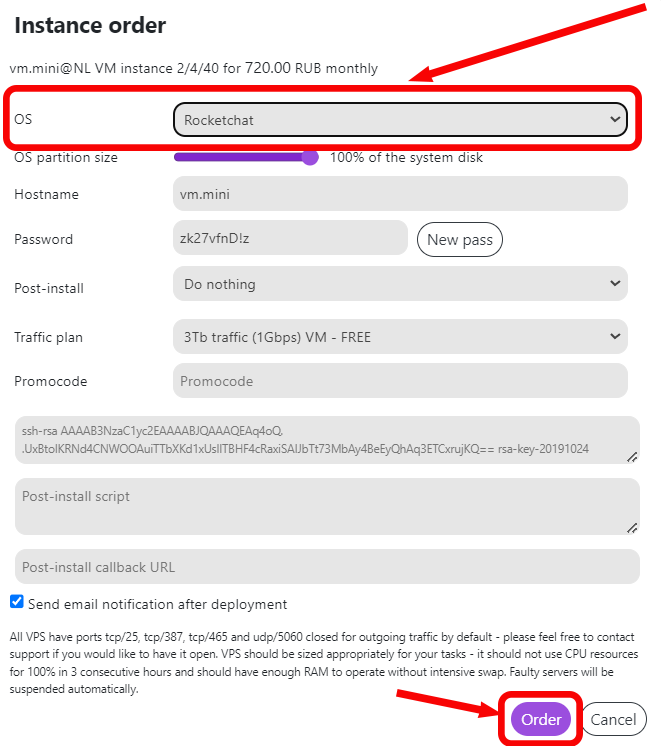
When configuring server settings, select Rocket.Chat from the list of operating systems and click Order:
How to start using Rocket.Chat
After paying for your order you will receive a notification to the e-mail used while registering informing you of the deployment of the server. It will contain your VPS IP, as well as a login and password in order to connect. Hardware and finances can be managed via the control panel — Invapi.
Authorization in Rocket.Chat
Authorize in Invapi:
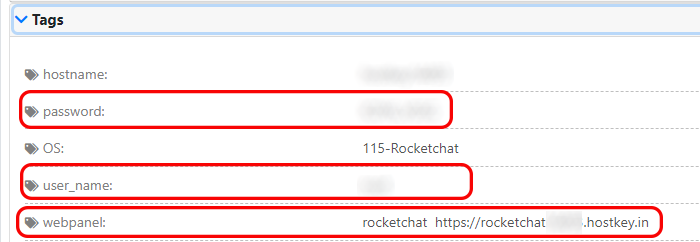
- In the list of your servers, click on the server with Rocket.Chat installed.
- Open the Tags tab.
- URL on RocketChat: in the webpanel tag.
- Login: in the user_name tag.
- Password: in the password tag.
After going to the Rocket.Chat control panel, you need to configure the workspace by entering the administrator's credentials:
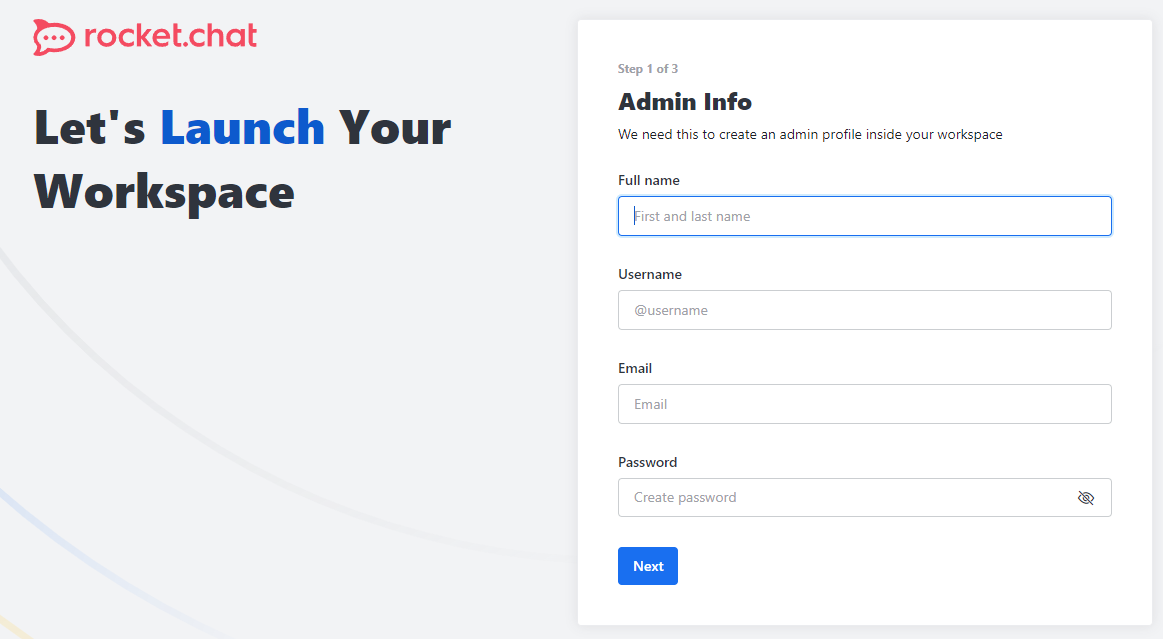
And provide the relevant information about the organization and e-mail address:
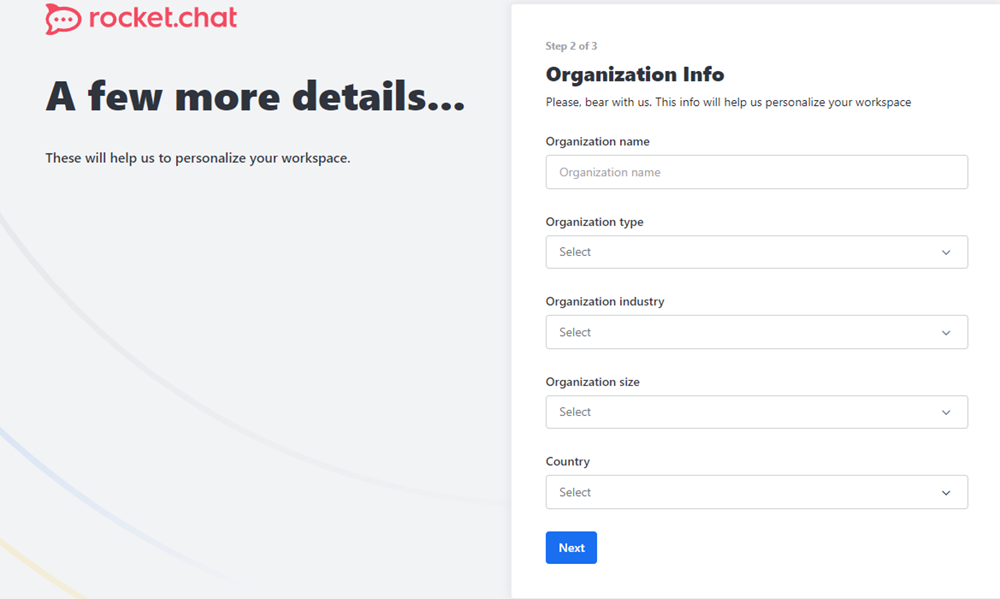
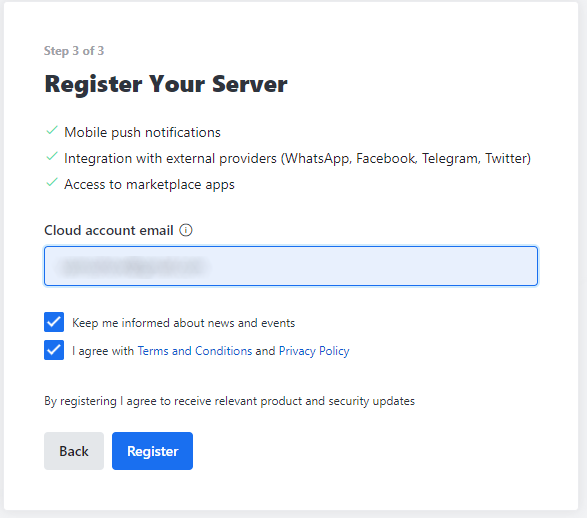
When the initial setup procedure has been successfully completed, you will then be taken to the Rocket.Chat start menu:
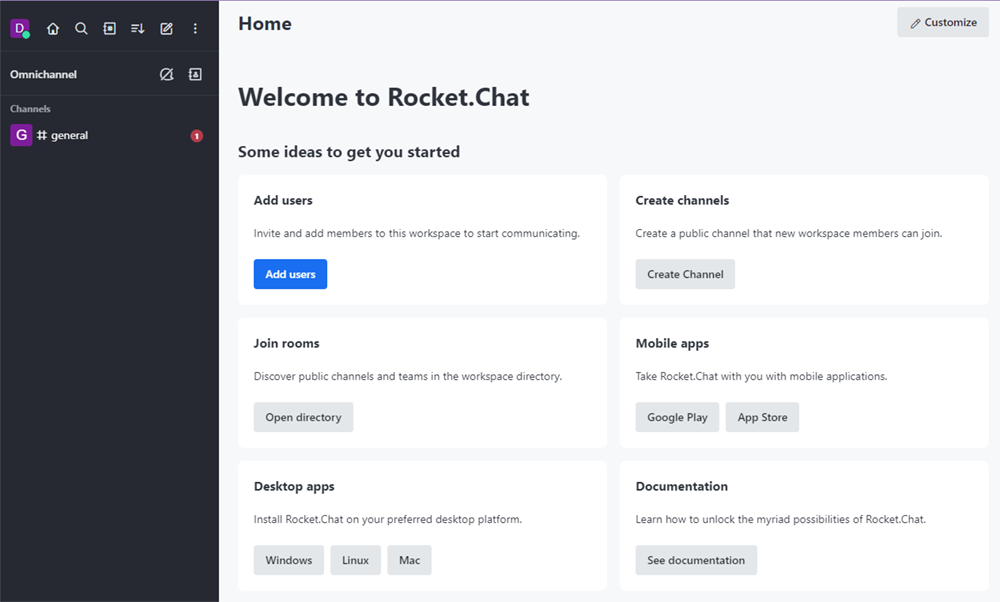
Detailed information on the basic Rocket.Chat settings can be found in the developer's documentation.
Note: To order a server with Rocket.Chat, select the appropriate server according to the developers' recommendations.